
Set sensor mode
1
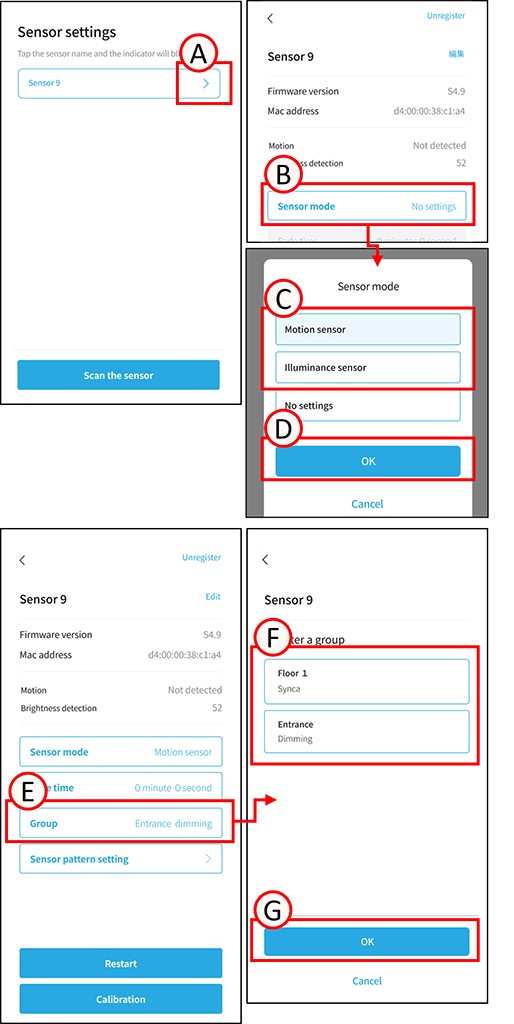
Tap A.
The sensor settings screen will open.
2
Tap B.
The sensor mode settings screen will open.
3
Tap C for any sensor mode.
4
Tap D.
Sensor mode setup is complete.
*The sensor mode cannot be changed while the group is registered.
Sensor group registration
1
Tap E.
The group settings screen will open.
2
Tap F in the group you want to register.
3
Tap G.
Group registration is complete.
*To ungroup, tap F again in the selected group, then tap G.
The group has been ungrouped.