
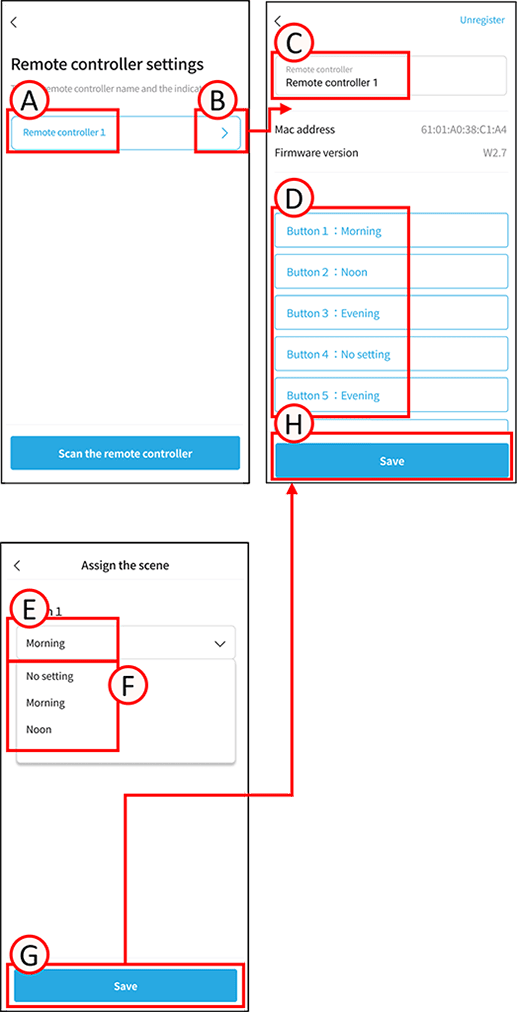
Scene settings are required before configuring the remote control.
1
Tap A. The remote control will blink.
Confirm that it is the correct remote control for setup.
2
Tap B.
The settings screen will open.
3
Tap C.
Enter any name.
4
Tap the D next to the button you want to assign.
The scene assignment screen will open.
5
Tap E.
The list of pre-configured scenes will open.
6
Tap F to set any scene.
7
Tap G.
The settings screen will open.
8
Tap H.
The settings data will be saved. The remote control will blink. Remote control setup is complete.