
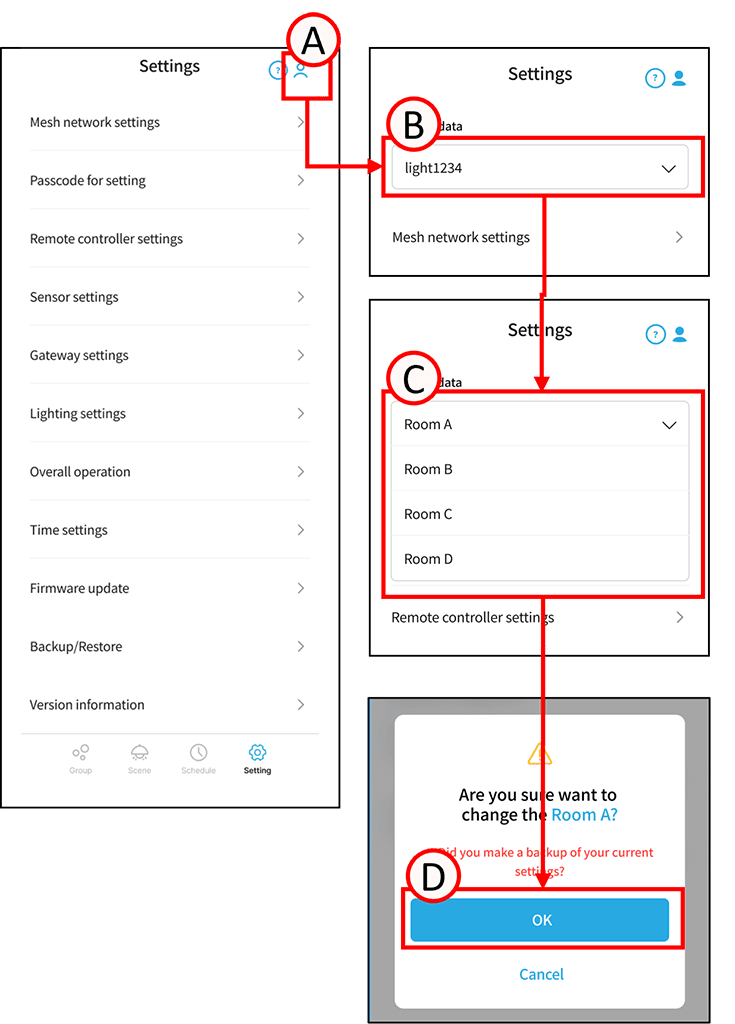
You can easily restore settings data backed up to a file.
This is useful when you want to control multiple rooms from a single device.
1
Tap A.
The icon will turn blue, and the tab (B) will appear.
2
Tap B.
A list of settings data will be displayed.
The settings data backed up for backup and restore will be displayed.
3
Select your desired settings using the C key.
A confirmation screen will appear.
4
Tap D.
The simple restore of settings data is complete.