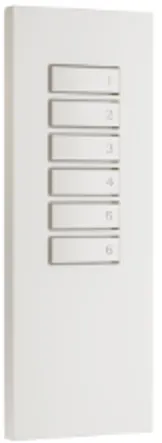
FX-431W/WA/WB
(Scene Selector Handheld Remote Control)
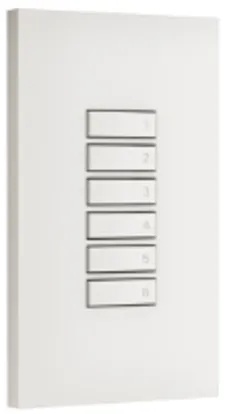
FX-427W/WA/WB
(Scene Selector Wall-Mounted Remote Control)
■Introduction
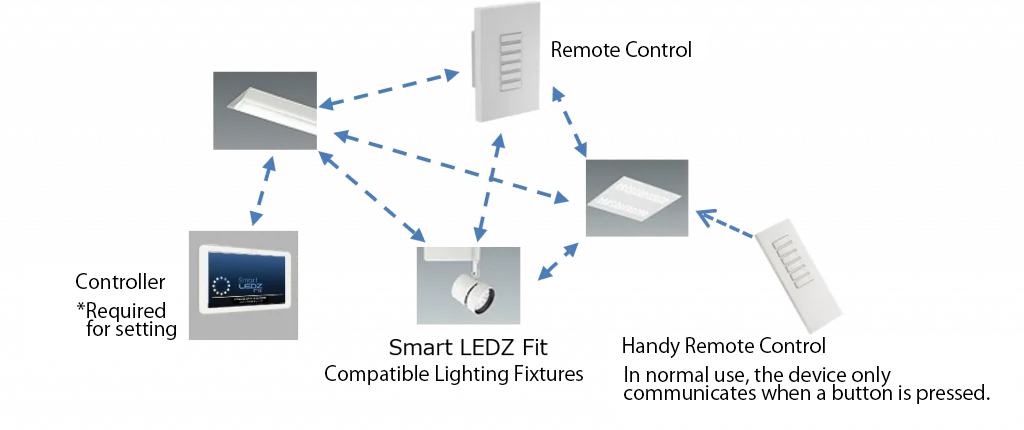
The Scene Selector Handheld Remote (FX-431W/WA/WB) and Scene Selector Wall-Mounted Remote (FX-427W/WA/WB) are wireless communication remotes specifically designed for the Smart LEDZ Fit system.
They allow you to control the lighting via mesh communication. Each remote control can store and play back up to 6 preset scenes per device.
To control the lighting with the remote control, you need to configure it through the app. The remote control cannot be used independently.
By selecting a pre-configured scene in the app and assigning it to buttons 1-6 on the scene selector remote control, you can play the scene.
■Notes
Because scene switching and lighting dimming are controlled wirelessly, there may be a delay between pressing a button on the remote control and the system responding.
When used in conjunction with a schedule, it will revert to the schedule when the schedule changes.
We recommend using this system within a 25m radius where there is a clear line of sight from the device performing the mesh communication. The communication range will be shorter in enclosed spaces such as walls.
■ System configuration required when using the scene selector remote control