
Add and edit scenes
1
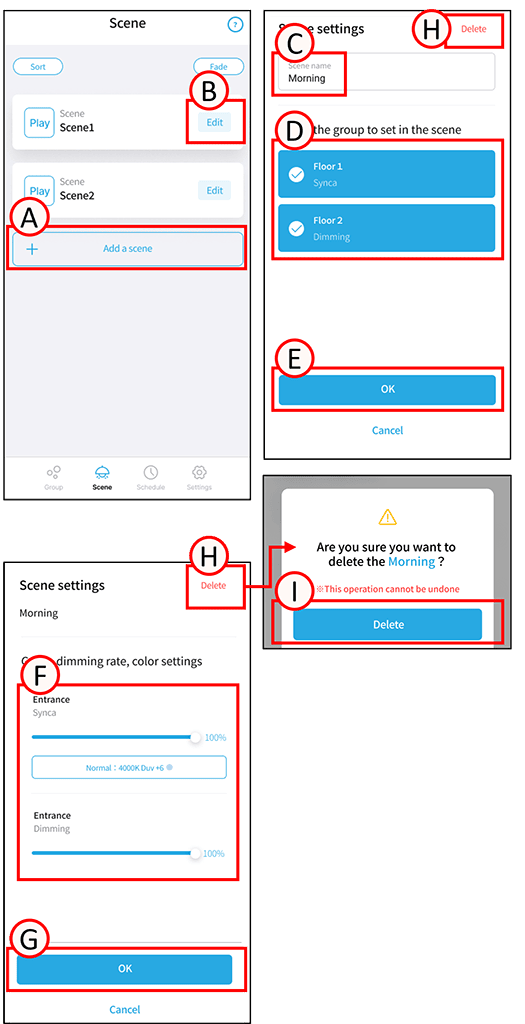
To add, tap A.
To edit, tap B in the relevant scene.
The scene settings screen will open.
2
Tap C.
Enter any scene name.
3
Tap D next to the group you want to set in the scene to check the box. Unchecking the box will remove the group from the scene.
4
Tap E.
The group’s dimming rate and color temperature settings screen will open.
5
Adjust the brightness and color temperature settings for each group. (F)
6
Tap G.
The scene has been added and edited.
Delete scene
1
Tap B.
The scene settings screen will open.
2
Tap H. A confirmation screen will open.
Tap I. Tap OK.
Scene deletion is complete.