
Play the scene
1
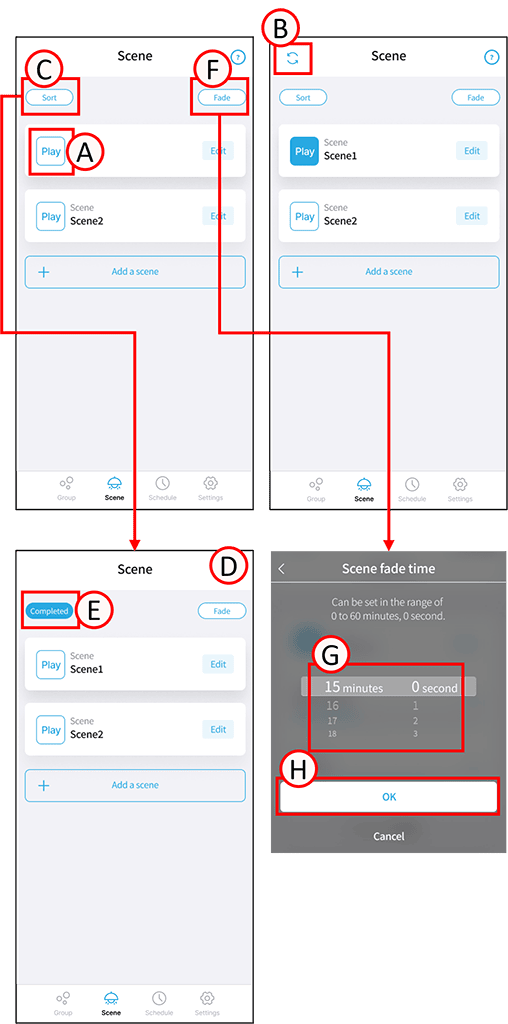
Tap A. The scene will play.
The play button will turn blue.
Overwrite the scene
1
Tap A in the scene you want to overwrite.
2
Tap B.
This will overwrite the selected scene with the target lighting fixture.
Rearrange the scenes
1
Tap C.
The sort button will turn blue.
2
Press and hold the scene you want to rearrange. (D)
The scene you are holding down will become movable.
3
Tap and hold, then slide to rearrange the order.
4
Tap E.
Sorting is complete.
Set scene fade
1
Tap F.
The scene fade settings screen will open.
2
Scroll through the G to set the minutes and seconds as desired.
3
Tap H.
The scene fade settings are now complete.