
Turn the group on/off
1
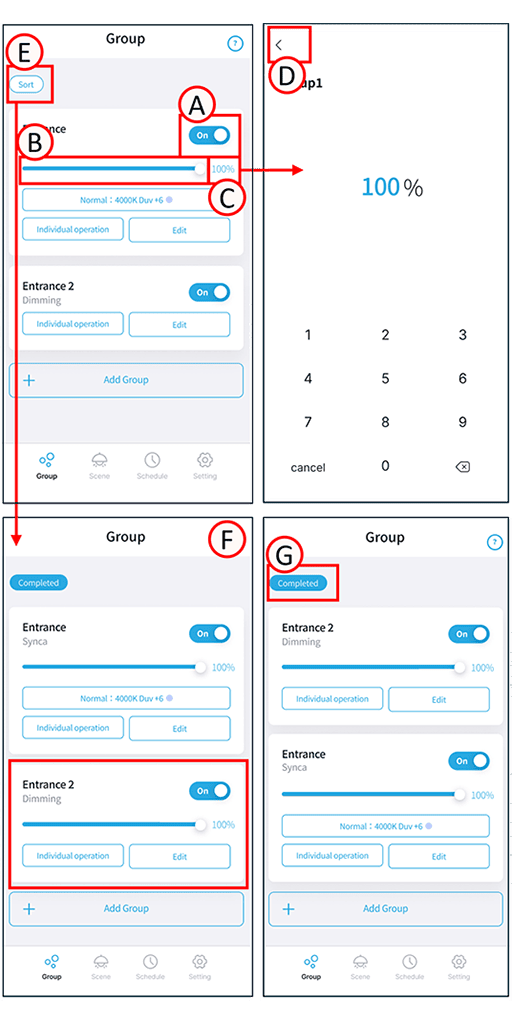
Tap A to toggle the lights on/off for the group you want to control. You can toggle lights on/off on a group-by-group basis.
Dim the group
1
Slide B in the group you want to dim.
You can adjust the dimming level as you like. Tap C.
A numerical input screen will open. Enter your desired value and tap D. The dimming level will be set.
Rearrange the groups
1
Tap E.
The sort button will change to Done.
2
Press and hold the group you want to rearrange. (F)
The group you are pressing and holding will become movable.
3
Drag and slide to rearrange.
4
Tap G.
Sorting is complete.