
1
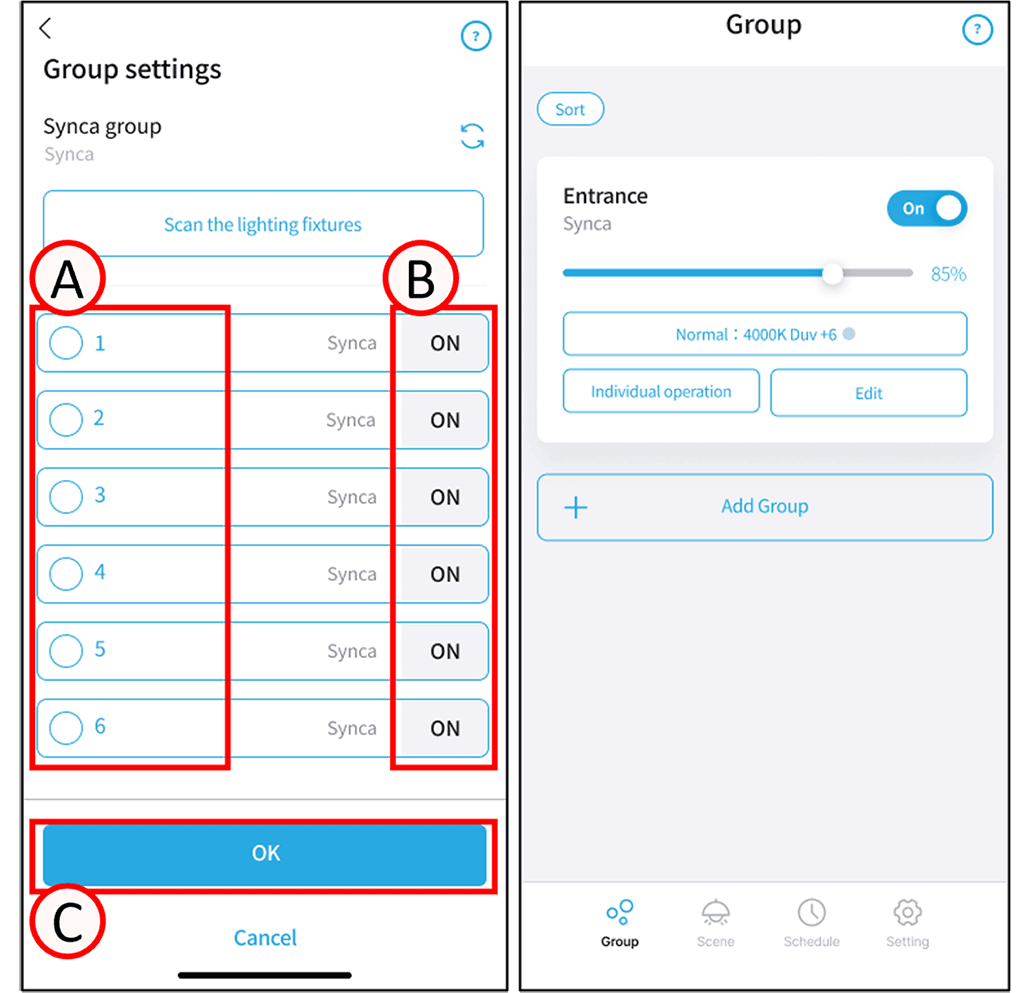
Tap A next to the light fixture you want to include in the group to check it. Tap B to turn the selected light fixture ON or OFF.
*Devices of a different type than the group type will not be displayed. For example, lighting fixtures with dimming control will not be displayed in the Tunbale or Synca color toning groups.
2
Tap C.
Group setup is complete.