
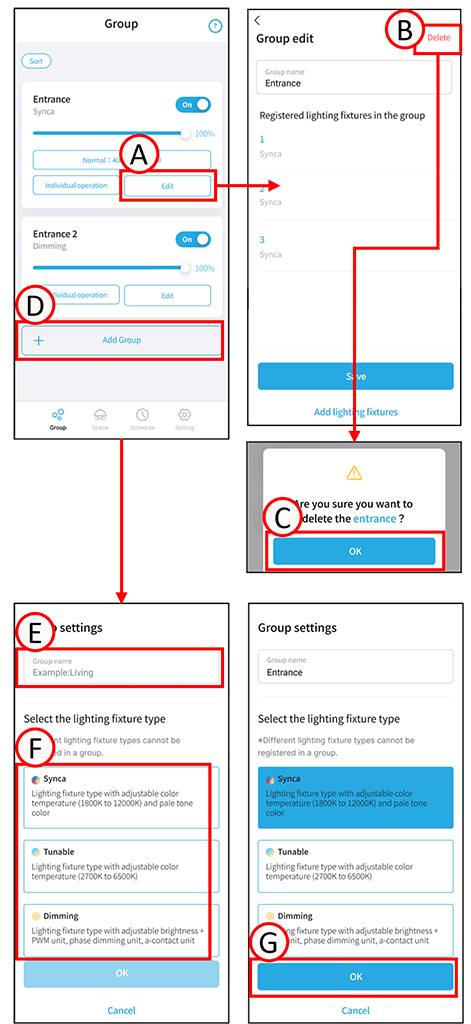
Delete group
1
Tap A.
The group editing screen will open.
2
Tap B.
A confirmation screen will open. Tap C.
Tap OK. The group has been deleted.
Adding a group
1
Tap D.
The group settings screen will open.
2
Tap E.
Enter any group name.
3
Confirm the type of lighting fixture you want to register to the group, and tap F.
*Lighting fixtures of a different type than the group cannot be registered. For example, dimmable fixtures cannot be registered to the Tunable or Synca groups.
4
Tap G.
Group creation is complete.
Group creation
You can create up to 20 groups.
A group that can register one lighting fixture.
Lighting fixtures can be registered in up to four groups.
If duplicate registrations occur, the duplicate groups cannot be registered in the same scene.