
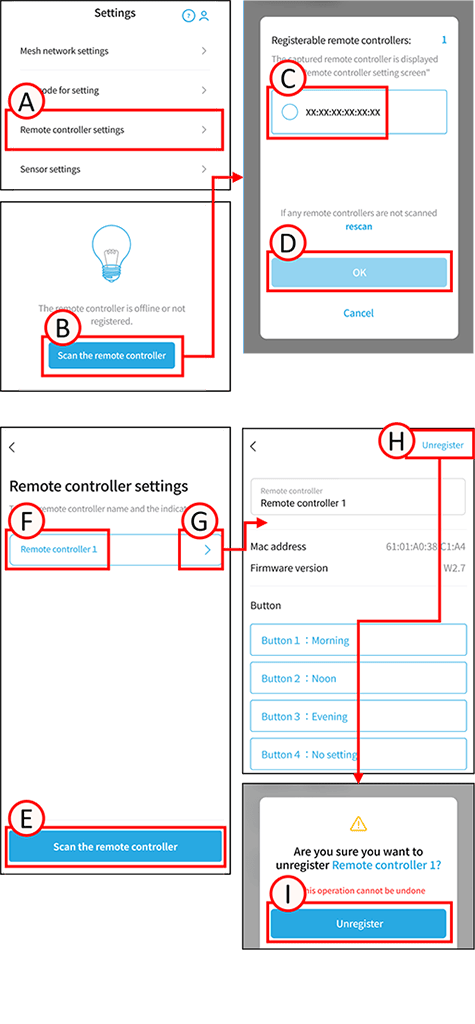
Scan the remote control
Scanning remotes will only list remotes. Scanned remotes can be viewed from the remote settings screen.
1
Tap A.
The remote control settings screen will open.
2
To scan for a handheld remote control, please switch to settings mode.
Handheld remote control mode switching
3
Tap B. The scan will begin.
4
Tap C on the remote control you want to import to check the box. The button indicator on the tapped remote control will blink.
5
Tap D.
The remote control registration will begin.
To scan for additional remotes, tap E.
The scan will begin. Proceed from step 4.
Unregister the remote control
*All settings made to the target device using this system will be reset, and the connection to the mesh network will be disconnected.
1
Tap F. The remote control will blink.
Confirm that it is the correct remote control.
2
Tap G.
The settings screen will open.
3
Tap H. A confirmation screen will open.
Tap I. The unregister is complete.