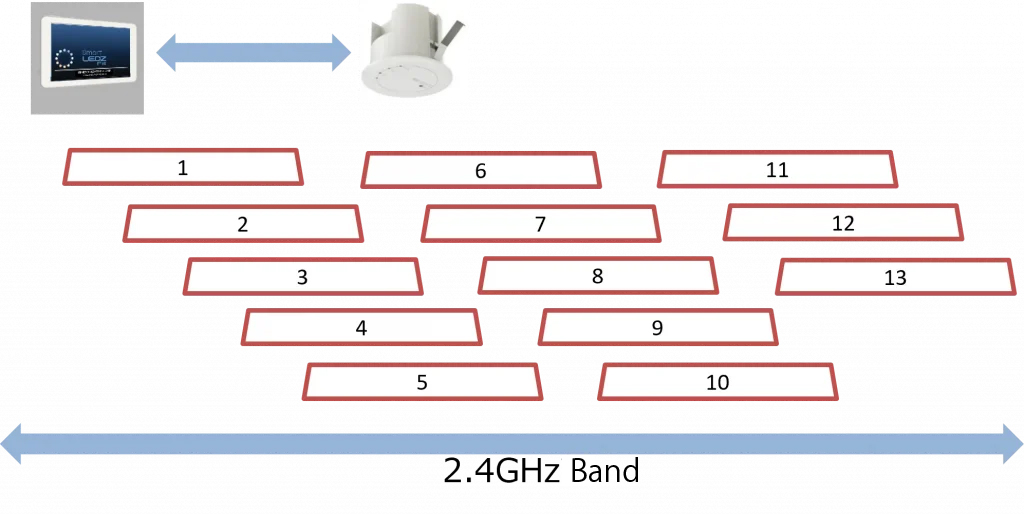
In the initial settings, the optimal channel is automatically set according to the installed wireless communication environment. After that, if the communication environment becomes extremely congested due to changes in the environment, communication delays may occur in Smart LEDZ Fit communication or other communication systems, but it will not cause interference or malfunction with other communication systems.
When using a Wi-Fi connection, fixing the channel may improve the communication status. To change to a specific channel, please refer to the operating instructions on the gateway settings screen
Types of wireless communication used in Smart LEDZ Fit
12.4GHz mesh communication
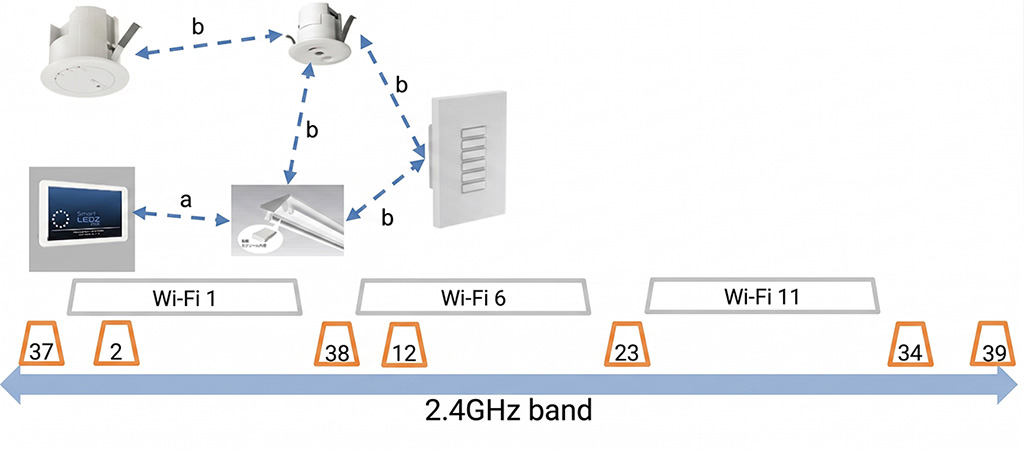
It is used for communication between wireless modules (lighting fixtures, gateways, sensors, remote controllers, etc.), and for communication when directly connecting smartphones and tablets to wireless modules. For communication between the terminal and the wireless module (a), channels 37 to 39 between the bands of Wi-Fi channels 1, 6, and 11 are automatically used.
Channels 2, 12, 23, and 34 are automatically used between wireless modules(b).
2IEEE802.11 b/g (Wi-Fi)
It is used when connecting smartphones and tablets to the gateway. For the channel to be used, it is possible to specify one channel between 1 and 13.